A few weeks ago, I wrote a blog about the dangers of re-using passwords across multiple accounts to avoid breaches from credential stuffing.
The average employee has more accounts to manage than ever before. Email, Microsoft 365, cloud applications, financial platforms, client portals, collaboration tools, and dozens of other services all require credentials.
The problem is not that employees do not understand passwords matter. The problem is that remembering a unique, strong password for every account is unrealistic.
That is where password managers can help.
What Is a Password Manager?
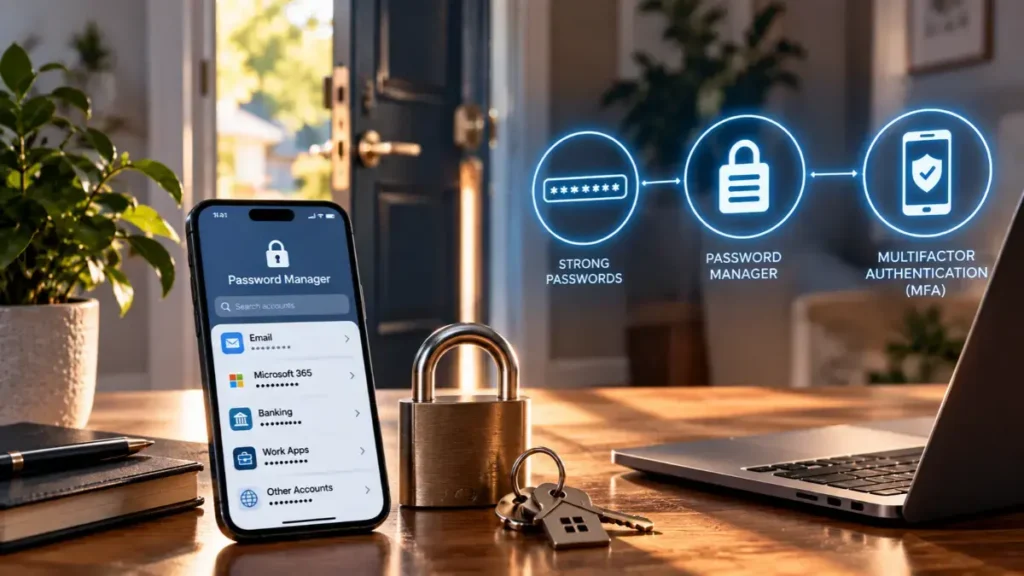
A password manager securely stores login credentials inside an encrypted vault. Instead of memorizing dozens of passwords, the user remembers one strong master passphrase and lets the password manager generate and store unique credentials for individual accounts.
NIST notes that password managers can improve both security and convenience by generating long, unique passwords and securely storing them. Current NIST guidance also emphasizes the importance of maintaining distinct passwords across services to help prevent password stuffing attacks. (NIST Pages)
For employees, this removes one of the biggest reasons password reuse happens in the first place: convenience.
What Do Password Managers Help Prevent?
One of their biggest benefits is reducing credential reuse.
If an employee uses the same password across multiple services and one account is compromised, attackers can test those credentials against other websites and applications. This is commonly known as credential stuffing.
A password manager changes the equation. If every account has a unique credential, one compromised password does not automatically unlock five more accounts.
Password managers can also help employees avoid predictable passwords, minor variations of old passwords, and insecure practices such as keeping credentials in spreadsheets, documents, or sticky notes.
Password Managers Are Powerful, Not Invincible
Like any security technology, password managers still require good habits.
The 2022 LastPass incident demonstrated why password vaults themselves are attractive targets. Attackers ultimately accessed backups containing customer account information and encrypted vault data after compromising elements of the company’s environment. (The LastPass Blog)
The takeaway should not be to avoid password managers. It should be to protect them properly.
Users should choose a strong master passphrase, enable multi-factor authentication when available, keep devices secure, and remain alert for phishing attempts targeting their vault credentials. NIST specifically recommends protecting the master password and enabling MFA for password managers that support it. (NIST Pages)
Better Security Should Also Be Easier
At Breach Secure Now, we often talk about cybersecurity as a human behavior challenge.
Telling employees to “use better passwords” only goes so far if the secure behavior is difficult to maintain.
Password managers help make the secure choice easier.
Combined with cybersecurity awareness training, MFA, phishing education, and strong organizational policies, they can help employees develop better credential habits without adding unnecessary friction to the workday.
The best security practices are not simply the ones employees understand. They are the ones employees can realistically follow every day.