October is Cybersecurity Awareness Month, and Week 3 of Breach Secure Now’s Lock It Down campaign focuses on a simple but powerful message: See It? Report It.
Our weekly theme, The Neighborhood Watch, highlights an important cybersecurity principle: employees can help protect the entire organization by recognizing and reporting suspicious activity.
Cybersecurity tools can filter malicious emails and block threats, but employees bring something technology may lack: context. They know how their coworkers, vendors, and customers normally communicate, making them valuable early warning systems when something doesn’t seem right.
The challenge is making sure employees know what to look for and what to do next.
Download Your 2026 Cybersecurity Awareness Month Marketing Toolkit
Phishing Is Becoming More Convincing
Phishing attempts aren’t always easy to recognize.
Generative AI can help attackers create convincing messages without the spelling mistakes or formatting issues employees have traditionally been taught to watch for. Threats can also arrive through text messages, QR codes, collaboration platforms, and other communication channels.
That means employees need to look beyond a message’s appearance and evaluate the request itself.
Fortunately, there’s a simple framework that can help.
Use the SLAM Method to Spot Suspicious Messages
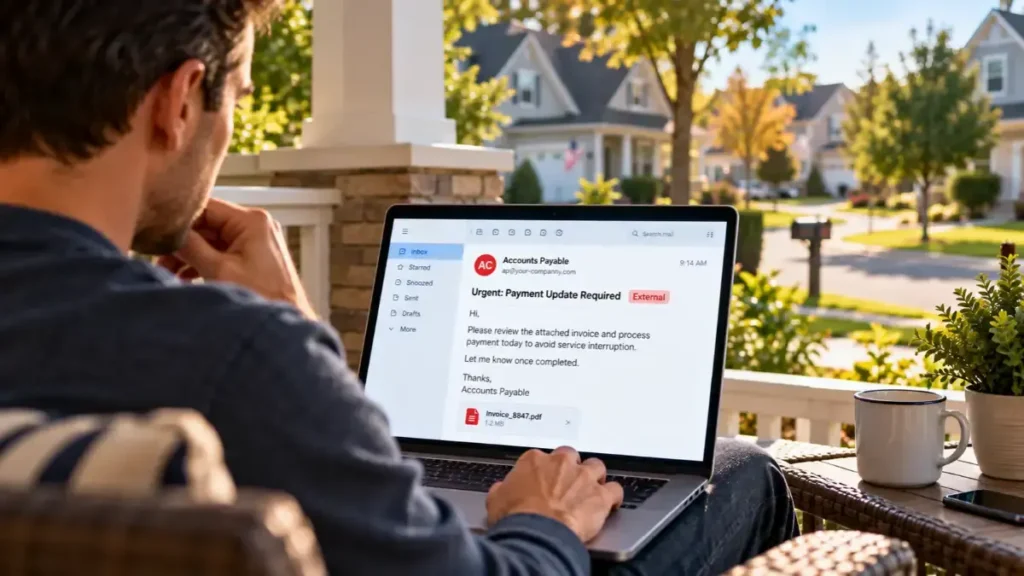
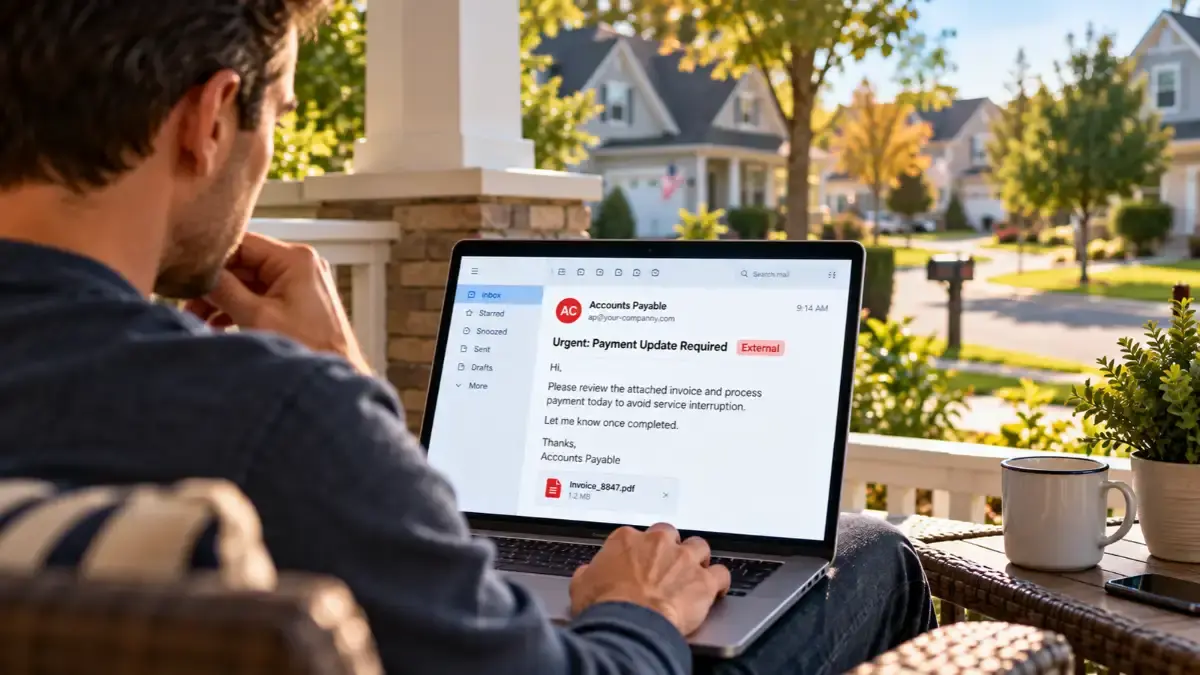
One practical way to evaluate a potentially suspicious email is the SLAM method: Sender, Links, Attachments, and Message.
Before interacting with an unexpected email, employees should consider four things:
S: Sender
Check who sent the message. Does the email address match the organization it claims to represent? Watch for subtle misspellings, unfamiliar domains, or addresses that don’t match the displayed sender name.
Remember, even a familiar address isn’t a guarantee of safety. Legitimate accounts can be compromised.
L: Links
Be cautious with unexpected links, especially those asking you to log in, update payment information, or verify an account.
On a computer, hovering over a link may reveal its destination without opening it. Look for unfamiliar domains or URLs that don’t match the organization.
If you’re unsure, navigate directly to the organization’s known website instead of clicking the link.
A: Attachments
Unexpected attachments deserve extra scrutiny, particularly when they claim to contain invoices, payment details, shared documents, or urgent notices.
Don’t open an attachment simply because it appears to come from someone you recognize. If the file wasn’t expected, verify the request through a trusted communication channel first.
M: Message
Evaluate what the sender is asking you to do.
Is the request unusually urgent? Does it pressure you to bypass normal procedures? Are you being asked to share credentials, transfer money, or provide sensitive information?
A perfectly written message can still be fraudulent.
The takeaway: SLAM gives employees a practical way to pause and evaluate suspicious emails before taking action. It isn’t a guarantee that every threat will be detected, but it encourages the critical thinking that effective phishing awareness requires.
Recognizing a Threat Is Only Half the Battle
Spotting a suspicious message is important. Reporting it can help protect the entire organization.
If an employee receives a phishing email and deletes it, they’ve potentially protected themselves. But if they report it, IT or security teams can investigate, identify similar messages, and warn other employees.
One person’s observation can become an organization-wide defense.
That’s the idea behind The Neighborhood Watch. Just as neighbors look out for suspicious activity in their community, employees can help protect their workplace by speaking up when something looks unusual.
And employees shouldn’t wait until they’re certain a message is malicious.
If something seems suspicious, they should use their organization’s designated reporting process. If they’ve already clicked a link, opened an attachment, or entered information, reporting it promptly is especially important.
Build a Culture Where Employees Speak Up
Organizations should make reporting easy, establish clear expectations, and encourage employees to raise concerns without fear of embarrassment.
For MSPs, phishing simulations and employee training are valuable opportunities to reinforce these behaviors.
Rather than focusing exclusively on whether employees click suspicious links, MSPs can help clients build habits that translate into everyday protection:
- Recognize: Use SLAM to evaluate suspicious messages.
- Pause: Avoid acting immediately on unexpected or urgent requests.
- Verify: Confirm unusual requests through a trusted, independent channel.
- Report: Alert the appropriate team when something seems suspicious.
These behaviors should be reinforced throughout the year, not just during Cybersecurity Awareness Month.
The goal isn’t to create employees who are afraid to open their inboxes. It’s to build confidence, encourage sound judgment, and make reporting second nature.
See It? Report It.
Cybersecurity Awareness Month is an opportunity to remind businesses that cybersecurity is a shared responsibility.
Technology provides essential protection, but employees can identify unusual requests and behaviors that automated systems may miss.
By teaching employees practical techniques like the SLAM method and creating a culture of reporting, MSPs can help clients turn everyday observations into meaningful security actions.
This Cybersecurity Awareness Month, encourage employees to slow down, use SLAM, trust their instincts, and report suspicious activity. Because when one employee sees something and reports it, the entire organization has an opportunity to respond.